Showing posts with label #osx. Show all posts

Wednesday, October 7, 2020

Thank you's and inspirations for "Comparing open source adversary emulation platforms for red teams" (Re-post including new content)


I'll be mostly focusing the next several months on MacOS malware and any new or innovative threats and defenses that come up. I'll also revisit an awesome friend and discuss how the threat-landscape prioritization has evolved over the past 18 months, so I'd better share this re-post now.


Since last spring when I set out to compare "red team" emulation platforms, and explore this notion of cyber "emulation" in general, I felt like there were not enough thanks given, as well as "shout-outs" to a small selection of the folks who's work have inspired me to continue learning every week.

As well since I worked on this topic, the community at large has even further embraced "emulation" including lots of great, new documentation up on the Atomic Red Team project sites, see for example, the wiki page at the Invoke-Atomic repository There are a series of short instructional videos on this YouTube channel. You can also find an in-depth 2 hour webcast here with 11 hands-on labs here.As well, on that page, Invoke-AtomicRedTeam installation and use instructions can be found on the index to the right (in the sidebar).

Friday, June 1, 2018

3 quick tips for sec pro folks: firefox screenshots on the command line, clearing the memcache & swap on linux, & rss syntax of common blogging sites, OSX "raw disk device" aka why dd is slow on Macs

Here's a micropost of several one-liners that you might also find useful:


  1. Firefox screenshots from the command line
  2. Clearing the memory cache & swap
  3. Time-saver: Syntax of RSS feeds of popular blogging sites
  4. OSX raw disk device (why dd is so slow on OSX)


Create screenshots of webpages without opening Firefox.

Folks on twitter said this works even more efficiently (i.e. in pentesting) that other larger tools.  From
https://twitter.com/Cherokeejb_/status/996166771739709440, and Credit @botherder, (@amnesty / @citizenlab / @swborders ) for originally sharing this.


Since Firefox 57, the -screenshot flag allows you to take screenshots of websites.

The basic usage is:  /path/to/firefox -headless -screenshot https://reddit.com/r/PositiveNews


This creates a full-height screenshot of the site (here "Positive News" on Reddit), in the active directory called screenshot.png, with a viewport width of 800px.

You can omit -headless when using -screenshot, as it is implied:

I found the entire "headless Firefox" manual here on the Mozilla developer website. It's mostly used for automated testing of different types of web applications and sites.


Clearing the memory cache


I lead one of two weekly discussion groups about security books, which is hosted out of the BrakeSec Slack website of the Brakeing down Security podcast [sic].   The other, "main" group is hosted by David Cybuck.

Here's a link to Chris Sanders giving a nice shout out this week, to our latest session:  https://twitter.com/chrissanders88/status/1002188191779184642

The topic came up, off hand, while we were talking about Cyber Risk Measurement last month, and somehow the question came up about different types of RAM in a linux system, and how to clear them.  Yes, application, "used" memory would be typically cleared after a restart or other power or magnetic event--that is why in forensics you take the volatile things first.  But there are also several ways of clearing the "RAM disk cache."  Don't forget also the swap file on the disk. The references are directly below.

1. Clear PageCache only:   # sync; echo 1 > /proc/sys/vm/drop_caches


2. Clear dentries and inodes:  # sync; echo 2 > /proc/sys/vm/drop_caches


3. Clear PageCache, dentries and inodes:  # sync; echo 3 > /proc/sys/vm/drop_caches 


4.  Clear the swap space (on disk):  # swapoff -a && swapon -a


As with everything on Linux, there are probably several other ways of doing this!


Basic, interesting links on this topic:


RSS syntax of blogger, medium.com, and wordpress


I shared this originally on twitter, and it inspired this extra "mini-post" today.

Knowing sites' rss syntax is very useful to me, because I love RSS.  Actually I'm hoping to create research time to really learn the in's and out's of RSS and XML, as well as json, as these seem constantly useful in infosec.    I love lean, text-based websites, especially for reading.

Sometimes the browser doesn't give these feeds up to you so easily, especially if you are blocking javascript, as many security folks do!  Sometimes even grep'ing the html source takes a few tries.

You can add a blog to your reader this way, or read it on a low-resource-bearing webpage by knowing this syntax.  All you need is the person's name or site name used on the site.  Here are three examples (substitute below "$user" with the name of the blog).

Medium.com

https://medium.com/feed/ @"$user" 

For example, one of my newer favorite blogs, focused generally on "red teaming" and the management, psychology, and strategy of great teams, Tim MalcomVetter's blog:

WordPress


https://"$user".wordpress.com/feed/

An example here is one of the BrakeSec slack members, Aaron Gilliland, aka Amish Hacker:

He's documenting here his path into learning more about security and red-teaming... way to go man!

Blogspot (Blogger.com, Google)

https://"$user".blogspot.com/feeds/posts/default

For example this blog right here, that you are reading now:

A lot of sites use this blogger engine as well, just with their own domains, so the syntax is very similar.

...there is also a feed for comments; leave one here with your own nice one-liner tricks!


Bonus:  OSX "raw" disk device

Have you ever noticed how slow writing usb or media cards using dd, on Macs is?  That is because you are probably using the wrong device!   I actually thought until recently this was some form of DRM that OSX was deploying, because it took so long, until recently, I had never seen one even finish.

For example, use dd if=/path/to/yourlinuximage.iso of=/dev/rdisk2 bs=4194000

Type first diskutil list , or use the Disk Utility application to find the name of the disk you want to write to.

To write a linux image onto the raw disk device, for example of an inserted SD card that you want to write on a raspberrypi, instead of writing it to, e.g. /dev/disk2 in the example above.  Use the block size appropriate for your media.   This will go much faster.  This is because on many BSD-based systems, the disk devices are a few abstraction layers away from the actual disk metal; it is different than linux.  You learn something everyday!


Thursday, May 31, 2018

Linux Privilege Escalation Preview: Last week's "Top" Vulnerability

with a logo like this, who can resist to learn more

An interesting report by Qualys


Last week a rather intriguing alert came across my news feeds via the Debian Security advisory list:

"The Qualys Research Labs discovered multiple vulnerabilities in procps, a set of command line and full screen utilities for browsing procfs..." 

I'd like to use this as an example today of how many strange, unknown attack surfaces must exist on the Unix ecosystem today, and how we must think creatively and diligently to defend against them.

When I saw this report, my initial reaction was "...a set of command line utilities for browsing procfs, awesome, how could I have never seen that before!" ...but then I realized that this is just the official project's way of describing top, ps, w, free, and some other programs which every Unix professional should know in and out (this includes you, Mac folks).  Then it hit me how ultimately critical these vulnerabilities could be, which was not evident just by reading the Debian security bullitin.

The /proc directory on every Linux machine is full of files used to explore and learn more about your system in real time; actually it is literally the kernel manifesting itself into the "runtime," so this is the computer coming to life to interface with the human if that's how you want to visualize it. You can read information out of it to create other applications and even modify it directly. In some ways it's like the Windows registry.  Most actions you take on Linux actually can be achieved in an alternative form by writing over a file somewhere within /proc. An common example is that to create a linux router, you must enable packet forwarding using the sysctl command, but you can also do that temporarily by typing at the command prompt " echo 1 > proc/sys/net/ipv4/ip_forward ." If you look at that file, it is simply a "1" or a "0." It is storing the state of the ip_forward value of your system, so that you can read it and other tools can access it.  One of the first Linux systems I built was on a Powerbook G4 (powerpc arch), where you had to do a similar echo command in order to make the system hibernate or standby.

The power of Proc - why are you reading this..?


  1. Procps includes "ps, top, vmstat, sysctl, w, kill, skill, nice, snice, pgrep, free, tload, uptime, watch" according to the sourceforge page.  These tools are a must-know for security engineers. You can literally login and within seconds find everything you need to know (or completely destroy a system) with these commands.  A red team can attack with them or quickly gain knowledge about a system, and a blue team needs to defend against them or use them to analyze a headless system.
  2. This is an amazing example of the huge amount of work by thousands of individuals that goes into open source software in general, but specifically the Unix ecosystem. Don't take this for granted.
  3. These bugs were of the extra quirky sort, just imagine how many hundreds more must exist in Linux or even OSX. The top vuln was labeled by the CVS database as "low impact." Bayesian probability fans may point out to you at this moment that "high medium low" is not the best way to assess risks with hundreds of random factors in your very valuable corporate environment. The point is:  think creatively about security. The article linked just above is from Adam Shostack, and is a really fun read.
  4. The entire project has a heavy does of humor hidden around every turn, just read the man page for top for example. The contributors include "just a sampler" of "hidden tricks" including the Big Bird trick and the Bouncing Window trick. I have to say that I didn't know about these. Here's another example from the project website's FAQ: "Why does ps get signal 17? No ps release has ever had this problem. Most likely your system has been broken into. You might want to install a more recent version of the OS. If you'd rather take your chances, simply upgrade procps."

An example of these attacks, would you have thought of this?


This is the explanation of how top works, from the man page:
"... If the $HOME and $XDG_CONFIG_HOME variables are not present, top will try to write the personal configuration file in the current directory, subject to permissions."
There was a bug found in the way that the program looks for the config file if it is not there.  An unprivileged attacker might even have a way of removing the constant, first!  These situations would mean that you can kill processes, renice (adjust the relative priority) processes, reorder jobs, and more;  you could do anything top can do.   Some of the other attacks let the attacker block admins from stopping processes, hide malicious processes altogether, and even escape containers!

Today I wanted to just use this as a challenge to creativity, research, and continual learning, but if you are interested in POC here are the links to the attacks:

https://www.qualys.com/2018/05/17/procps-ng-audit-report-advisory.txthttps://gitlab.com/procps-ng/procps/commit/b45c4803dd176f4e3f9d3d47421ddec9bbbe66cd


Humility and Creativity


I asked around online, in which cases would the $HOME constant not be set, and it seems to be a rare occasion, but due to the flaws in comparative scoring like CVE, this rarity may be the only reason the vulnerability was listed as "low impact." There might also be a away to remove the constant, like I mentioned above.  Qualys mentions that is also the case when there is simply an empty $HOME environment variable (which might be a mistake by an admin or even a slightly more common scenario). I pointed out that even in the dash shell (default in Debian if you don't set Bash), it is set. So as @espen mentioned to me, this is defined in the POSIX standard, so it would almost always be set, but in the world of ever-growing IOT devices and systems that are designed primarily to offer a service and never be "logged into," this may be silently becoming more of an issue.  Think too of systems like busybox, which I see getting attacked by bots on my honeypots on a daily basis. Think of all those accounts on Linux, even your Kali box for pentesting, that you have no idea what they are form even more so on systemd: learn what they are for.


In my mind this creates a number or probable attack surfaces to defend against. Assume breach. A saavy attacker--and with Unix I always assume there is a veteran who knows more than me--might know of a way to compromise a system account without the shell set, and "own" your system. This is the main takeaway today. Humility and creativity.  The Blue Team doesn't want to simply ask "what if," we want to ask "what if," but then be able to confidently say "that is not possible," or at least say "that is extremely unlikely," with much greater granularity than assigning a high, medium, or low value on a traffic light to each vulnerability summary.


Take a further look around the top man page if you are interested. The global configuration file also is quite interesting in the same way. It is a perfect example of how hundreds of such bugs must exist in so many programs core to the Linux ecosystem, which literally runs the Internet.

Mitre agrees


From https://attack.mitre.org/wiki/Linux_Techniques there are only a few examples given of similar attacks, actually Mitre ATT&CK provides excellent coverage of Exploitation for Privilege Escalation overall, but just basically mentions software flaws as ways an adversary could gain unauthorized credentials, or evade defenses, without giving many examples.  In a future post, I plan to go through all the linux priv-esc cases from ATT&CK which I was not aware of.  I also have some new packet analysis cases to go through, as always.


A really cool example is given though of "a rare attack" which comes from classic research by Skape at Hick.org. They explained (in 2003!) the general concept of injection into a running process or the proc system. "/proc/[pid]/mem provides access to the memory of the process and can be used to read/write arbitrary data to it. This technique is very rare due to its complexity" according to Mitre.


In closing remember, that however hard to pull off, these attacks exist, and this is where vulnerabilities like the procps set last week come from. The other attacks were even much more serious than top; I just chose top to focus on since almost everyone has used it at one time or another.  It only takes one person to engineer an exploit for these to become simple for anyone to use.


A special thanks goes to Espen Rønnevik (@espen) who gave me a great tip about POSIX via the infosec.exchange. It always pays to have great *nix folks around.

Saturday, January 13, 2018

The 3 Mac security tips for Managers (and everyone) - #offtopic

The 3 Mac security tips for Managers (and everyone)

...aka "Macs don't get viruses... oops, not really!" - 


Managers, artists, teachers, and just about anyone else can follow these tips to make your Mac a security tank!


Combine these 3 tips with regular updates of your computer and applications and prudent web-browsing (think especially of blocking un-needed ads or other javascript) to make your Mac as strong as a castle or a tank - This is an archive & git copy of the most important ways people can secure their Macintosh computers.  


Part 1: Use a regular user account.


These tips also apply to Microsoft Windows and Linux/Unix. If you follow these tips, it will make your computer run more quickly and much more safely, and keep you in line with your IT Policy at work as well as policies of other organizations you may visit.


If you operate your computer as a normal user, (you may hear this referred to also a a non-privileged user, non-admin user, or similar), you will literally reduce your chance of most types of security-related problems with your computer, by over 80%. I've seen reports that put this even as high as 95%! The smartest IT minds in the world agree with this tip: here is a very easy-to-read report from the ASD, and if you want to go down the security rabbit hole, see also these older reports from the UK's NCSC, and America's NSA.


Hopefully, all of your company's computers are already setup this way. To make this change on your personal computer, it is super easy, and if I find a nice Youtube video for you, I will come back and post it here, or even make one myself someday.


Feel free to grab a tea with me and have a nerdy chat, or share with me your favorite new music and films, at any time. Reach out!


Part 2: Don't install apps outside of the Apple "App Store."


Here is the next instalment of "Mac's don't get viruses (oops... not really!)"

This tip also applies Linux and other Unix systems with their "repositories"--even Windows is largely moving in this direction--there is an official "Windows Apps" store now, which is growing quickly, programs like Microsoft Office have moved largely to online versions.

So this will prevent you from getting almost 100% from any type of malware, even viruses, or even the new-fangled "ransomware" which I'm sure many of you have heard about lately. The tip is as simple as this: do not click any warnings that pop-up on your computer that something "is not signed," and never change the settings under System Preferences > Security & Privacy > General, lower than the middle setting, as shown in this image. Leave this at the top setting if possible, and only if needed for popular 3rd-party programs like Adobe Suite or Avid's Pro Tools or Media Composer, select the middle/2nd setting. Never use the 3rd choice.

Hopefully, all of your company's computers are already setup this way. To make this change on your personal computer, it is super easy, and if I find a nice Youtube video for you, I will come back and post it here, or even make one myself someday. If you're interested in the meantime, I recommend this blog! Have a nice one!


Part 3 - DO NOT USE PASSWORDS FOR MORE THAN ONE THING!"


Here's the last edition of our 3-part-series of tips to make your computer run better for you, and protect yourself online.

These days, tips like this are not even optional-- they'll keep you in line with your IT Policy at work and other companies--and even more importantly protect your personal relationships, your creative assets such as your music or film files, and as you'll see today, even your money!

Does that title look like screaming ;-)  ...it is.  Friendly screaming, albeit.

Q:  How can I fix this problem?   A:  Don't use the same password for anything important.  That's it.  

In a recent interview I did on the Brakeing Down Security Podcast (sic) several of the top Security professionals in Europe, which I interviewed that day, agreed that ironically password reuse was the biggest problem facing organizations today, because of how it may lead to so many other risks. One person even suggested to do away with passwords completely in favor of something new.

If you want to hear some of the worst IT-scare-stories I've ever seen, read this about locking people out of there Apple stuff, or this about losing your life savings while buying a house. These are most simply the result of... yup, password reuse.

You don't have to take my word for it: take a look at online databases of leaked passwords, and search for an old e-mail address, or a friend's e-mail address (*for security, please don't use your own, current e-mail addresses).

If you have trouble making up good passwords, then use a software password manager, like LastPass or KeePass.  As well if you store anything really valuable to you or your company, online, then use an un-related 2nd factor for logging in.  Better yet don't store private or important things online at all!  Feel free to come to me with questions like this, at any time.


...This concludes my series of how to easily secure your Mac.  Like I mentioned in the Introduction, if you combine these 3 tips with regular updates of your computer and applications and prudent web-browsing (think especially of blocking un-needed ads or other javascript) it will make your Mac safe against almost anything that would come it's way.  Thanks for reading, and contact me with any comments or questions  !

---


notes:

This was adapted from a company newsletter and used in production/"security awareness training" which I wrote at a former employer.  This was also shared on my new github account that I mention below, so feel free to use the text from here, or there in your own security awareness trainings or newsletters.

I'm in the process this weekend of setting up a new github account, for personal use; to keep things separate from a few project sites, and mostly to share sysadmin scripts I've written in production for some recent new job applications in process.  I also hope to use the site to fork python projects and other code that I might hopefully work on for fun and learning, sooner than later.

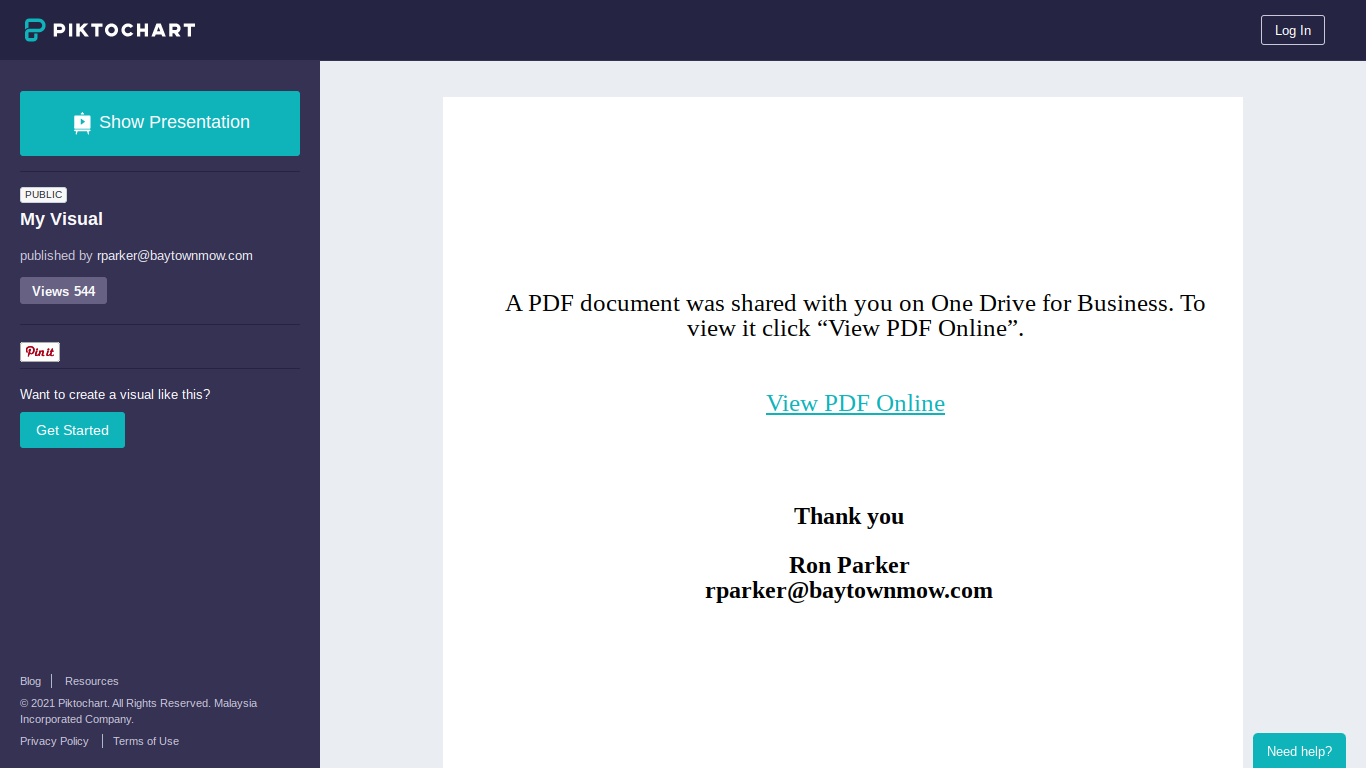
Piktochart - Phishing with Infographics (Guest diary on Sans Internet Storm center - isc.sans.edu)

Noticed today I'd forgotten to re-post this guest diary I shared to Storm center.    Link to original post ,  My most recent work hasn...

Follow by RSS