Thursday, March 22, 2018

HTTP/2 ♬ Where are you ?.. a Blue Team roll call

Maybe you've read the latest headlines about the adoption of HTTP/2 features from NGINX or  earlier news from their own Nathan Moore.

While it's fresh in your memory; here is a quick summary, then a State of the Union of HTTP version 2 for you, and an update about HTTP/2 support in various Blue Team tools:

Take Nginx's adoption of the server push feature, as a sign of how the protocol is rapidly, but only gradually changing.  Such are things in Intrusion detection and active defense, but I'm not quite sure if we're paying enough attention to the evolution of HTTP/2.

Here's what I mean: a lot of teams are actively protecting against the top web vulnerabilities like SQL injection and cross-site-scripting, but what happens when it all becomes one big encrypted blob?  As well, the leading open source tools still need help to add or improve HTTP/2 decoding support.  Let's team together, especially if you are a developer, to help catch these tools up to speed.  A special shoutout goes to the Bropy development team, a tool that provides application-layer agnostic, anomalous intrusion detection using Bro and Python.

I'll start with a somewhat brief overview of what HTTP/2 is, and where its coverage is at for Bro, Snort, and Wireshark.

HTTP/2 basics

I started off my hunt for knowledge of the latest and greatest things, like I always do... by asking my grandma...

Although she might have had AOL once, for a few minutes; she happily admitted she had no idea about HTTP/2.

So then naturally I turned to RFC 7540 from may 2015--authored by none other than Google and Mozilla themselves and a handful of others--and I realized that version 2 was sounding pretty next-level.  It was sincerely time for an update from v1:  HTTP 1.1 was standardized in 1997, so although 20 years is not long at all in human hindsight, in technology terms that is several epochs.

In my own words, HTTP/2 has 5 types of new features which I'll list below.  While it keeps the http basics like PUSH and GET, it brings features 'up the stack,' using "streams" which are named very similarly to the TCP flags feature from layer 3 of the TCP/IP model, as well as an identification type number (stream identifier) even similar to a tcp id number, and a CONTINUATION stream, similar to fragmentation theory from the IP layer.  The packet has its own complete structure, called a "frame" which you might think of as layer 3.5.  Inside the frame are these variuos streams which can be prioritized and sent simultaneously.  You'd think the RFC team could use some fresh names that would be less likely to be confused with other existing networking technologies, but they did not.  See as well the neat FAQ from the http/2 team.

image from Good Barber (See https://tr.goodbarber.com/pwa/technology/) highlighting their product utilizing http/2

  1. Headers are now compressed, but rather than gzip or other common forms of compression, it uses a technology called hpack (support was recently added to snort to decode this).  Within  the application-layer itself (in the probably-encrypted "frame"/payload, something new called "pseudo-headers" within the header stream are begun and essentially delimited with a colon,  These are values, some of which are like the "headers" in the http 1.1 code, but don't be confused, these just give information about more streams to come.  That's why they are caleld pseudo-headers.  See 2.
  2. Data comes in tcp-flag-like-named units called "streams," as shown above, more accurately these are interwoven process tasks which can be communicated simultaneously by the client and server.  These are basically the payloads inside a totally new packet-layer, as I show below. They can also be prioritized.  Streams are numbered in a novel way though, luckily: streams from the client have odd numbers, and sever streams have even numbers.  For example, RST_STEAM, GOAWAY (a 0x07 value, like TCP FIN), and a HEADER frame (0x01 like a TCP SYN).
  3. The "body" in HTTP 1 terms, is binary
  4. The Server pushes data in anticipation of client need (the feature recently added to Nninx)
  5. TLS exchange, "hello," can now happen more quickly using ALPN (Application layer protocol negotiation, that is the "speeding up of things")

You can see already that this could be potentially mind-blowing.  Are the days of simple, text-based hypertext documents, that almost anyone could create, finished?


As you'll see below as we wrap up, I was surprised that so many commercial IDS's (Intrusion Detection Systems) are all-ready to go with the protocol. I even had to revise my initial title of this article from just "HTTP/2, Where are you ?.. " ...because HTTP/2 is already right here in our face!
The packet looks absolutely nothing like the line-based HTTP 1.1 text-fun-goodness that you are used to.  See the RFC for details, here is the structure from it.  In my own words that not including the payload this is a 9 byte "frame" structure (bytes at offets 0x0-8), and the high-level bit at 0x05 even has a "not yet assigned" evil-bit type bit, waiting to cause adventures in minimal c2:


   All frames begin with a fixed 9-octet header followed by a variable-
   length payload.

    +-----------------------------------------------+
    |                 Length (24)                   |
    +---------------+---------------+---------------+
    |   Type (8)    |   Flags (8)   |
    +-+-------------+---------------+-------------------------------+
    |R|                 Stream Identifier (31)                      |
    +=+=============================================================+
    |                   Frame Payload (0...)                      ...
    +---------------------------------------------------------------+

               Figure 1: (FROM RFC 7530) "HTTP/2 Frame Layout"


It's cited on Wikipedia that "as of March 2018, 24.3% of the top 10 million websites supported HTTP/2," so actually that is way more than I had expected.

I've compiled an update of the major open-source projects first here.

Bro, Snort, and Wireshark

Wikipedia has a pretty nice start at listing Severs and CDNs that support HTTP/2 (most leading servers do), as mentioned earlier.  But what about defense products?  I also asked a team of great friends & security professionals at the slack channel for the Braking Down Security podcast [sic] to help compile a list of support for their favorite proprietary tools (you'll see it at the bottom of this post).

Keep in mind, that of course, since HTTP/2 is encrypted in most implementations (but not by default in the protocol), inspection will be limited with out setting up proxies, and other techniques which are used to do so-called "deep packet inspection" with other forms of TLS already.  So what we mean here, is that you'd be able to open a tool, and get a clear dissection of what was happening in an HTTP/2 stream, and have an explanation of the protocol right in front of you, and crypto-text, if it was encrypted and you had no proxy.

I couldn't quickly find information about bro, but it was mentioned on feature wish lists, along with other progressive protocols like QUIC, that were being actively considered.  I've heard before solidly, that it is "on the horizon."

Snort does have support now in BETA, which is not recent news, and was not implemented by default.  It takes some pretty serious tweaking.  This is an update from other news I had heard just months ago.

Wireshark--which supports USB debugging now (yes, actually sniffing for things like bad usb aka rubber ducky, not usb network adaptors or the like)--has included http/2 for awhile in recent versions, and even has a very clear webpage about http/2 support in wireshark. To get full support of header decompression (hpack as mentioned earlier), you'll need to manually add library nghttp2, which was also one of the complexities I mentioned in Snort http/2 support.

My search continued on.  I had to review my favorite 503 course materials; as well as skim over a few pages of google search results, and the very-non-hashtaggy twitter channel #http/2, which may have also marked the first time I hashtagged a forward slash.  For a deeper dive, you can even go right into the SANS Reading Room and read a nice gold paper by Stefan Winkel, advised by Chris Walker.  It's now outdated, but provides great insight.  Ironically HTTP/2 already has its own twitter handle, which has over 10 times as many followers as the creator's main handle.  In other words, HTTP/2 is rockin' already, and doesn't need us to blog about it.

Let's compare the digging I just did, to how easy it was to find claims about http/2 speed and benefits.

Security & Marketing

It seems that this is already said and done, so where is the security response?  It's also steady and growing, there was even a Blackhat talk already; and as usual, as soon as research is born, we all must work harder, and patch the next hole, and move on to the next... which you know will come.  So a lot of great work is out there; that is out of the scope of today's post.  I especially enjoyed the Merlin project's research, which I highlight at the end, below, as well as Mark Nottingham & Martin Thompson (from Mozilla)'s RFC 8164 "Opportunistic Security for HTTP/2!"

HTTP/2 allows the server to "push" content, that is, to respond with data for more queries than the client requested. Doesn't that sound a lot like javascript on your e-mail webclient? It sounds scary. So we're taking one by one things that are in other layers, and incorporating them directly into http. So in theory, eventually that might mean more security, we must learn to defend against it first. Similar concerns were already brought up by the FreeBSD team, for example on how the protocol was put together, as many things end up, by focusing only on a few key players, here with Google and Mozilla at the forefront.
Web-dev or even marketing research was a lot easier to find.  Apparently HTTP/2 makes you rich and blows up your SEO presence. Well, not quite, but it was easy to find

Another How can HTTP/2 improve results for online retailers? The updated version of the ubiquitous HTTP protocol makes sites perform faster and can improve search engine optimization.

Materials for further reading seem not far away at all from the developers' point of view, and even from the security perspective.  In fact that last link here Russel Van Ruyl aka @ne0nd0g was exactly what I was hoping to find to dig deeper into this topic, in terms of my own current core emphasis area, of network intrusion detection.

Merlin


In ne0nd0g's post, he discusses introduces Merlin — A cross-platform post-exploitation HTTP/2 Command & Control Tool.  This was actually the first and only research that quickly came up in more than one of my daily infosec research feeds, I had a copy of the same post shared from Lydecker Black's website kitploit, back when Merlin had been released a few months ago.

Merlin works with powershell, and has also some python control.  I can see a lot of people getting excited about this.  You've probably already read up on Merlin, or even used it, so I'm just giving respect where it is due.  In short, this is the climax of the blue team call to action, because it provides an easy way to do C2 over HTTP/2, so you'd better be able to read it.

These guy's work can speak for itself, but basically the perfect forward secrecy of HTTP/2 makes it very difficult to inspect with traditional IDS/IPS and as well, Russel gives yet another shout out to the Go programming language--which seems to me without a doubt the next language security pros should get their feet wet in--if already deeply familiar with Bash, Python, and (if you're working with Windows) Power Shell--so 'go' to Go.

"Evade network detection during a penetration test/red team exercise by using a protocol that existing tools aren’t equipped to understand or inspect. Merlin is post-exploitation tool that is easily cross-compiled to run on any platform to achieve command and control of a host.... The magic of Merlin is found in its HTTP/2 protocol coupled with the use of the Go programming language and its easy to use cross-compiling capabilities"
Sounds awesome.  More information about Merlin can be found on its GitHub page at https://github.com/Ne0nd0g/merlin.

Fellow defenders, get your thinking caps on--more to come on this for years to come.

HTTP/2 we're getting ready for you.

~

_------------------------------_
Status of IDS/IPS and related products for HTTP/2 support:
Keep in mind that all will need constantly updated as the protocol and its implementations evolve. 

Wireshark - YES
Bro - NO, contribute here
Snort - YES, experimental
Bropy - YES (ignores application layer)
Surricata - tbd
Bricata - tbd
Symantec IPS (protection agent) - YES
OSSEC (free HIDS) - NO, at least not mentioned
Cisco Firepower / umbrella extension - YES
Palo Alto Firewall products - YES
TrustKeep - YES
Fireye - YES
F5 - YES
Juniper - YES
"most firewall-based IDSs' support"
Riverbed - YES
Stellcentral/steelhead - YES
-______________________-


Vendors or product development volunteers are welcome to comment or dm me on twitter (@cherokeejb_) with information about your products, or corrections.

Huge thanks to @waves, @SAJChurchey, @JK-47, @SeriesofTubes, and @hashtagcyber for providing information about more IDS, IPS, and networking products on the Brake Sec Slack Channel.


Sunday, March 11, 2018

DShield honeypots for Raspberry pi also works with Pi 1


I've set up a new honeypot for the SANS ISC / DShield project, this time using only an old original Raspberry pi I had laying around (model B, 1+, 2014). In a previous diary it was reported that the honeypot works with pi models 2 and above, but I've confirmed that it also works with the original  Pi.  I also noticed today that one other contributor had previously reported a similar model was working as well.I might make a further write up sometime to spread the news a bit more about the project, but for now, know it works!  Now if you have old Pi's laying around, still don't let that keep you from submitting to Johannes' contest for winning brand new one's by reporting any errors in reporting on the Storm Cast (if y you find them!).  You can always give the new ones way to a school or local child; the Pi foundation education manual is pretty amazing just by itself!


Here is the link to the current ISC/DShield repo where you can get the software; thanks to all who contribute! https://github.com/DShield-ISC/dshield


Sunday, February 25, 2018

Exploring text2pcap, the hidden message in my SEC503 challenge coin, and the story of the SANS netwars coins (Thanks Ed, John, Josh, Kevin, Steve, and many others!)


A lof of work has went into these... and protecting our countries from harm


This looks a lot nicer at https://www.linkedin.com/pulse/exploring-text2pcap-hidden-message-my-sec503-challenge-jb-/ please follow me as well on LinkedIn if you're involved in the industry & read this post from there..


Recently I've read some really nice research surrounding pcaps, the first two that come to mind are on adding comments to the pcap-ng file format from Xavier Martens (@xme), and from Erik Hjelmvik's NetReSec blog (@netresec), most recently on Anti-virus scanning of pcap files.


Along these same lines I'd like to look into the various small programs that come with the Wireshark bundle, experiment with it on OSX, instead of linux, just for kicks, and then focus-in on one component, text2pcap [spoiler alert I wonder what it does] which for an example I've recently used it to decode the numbers surrounding my SANS 503 coin.


One reason this all came about is because as I was studying for the GCIA exam I had the coin out as kind of an encouraging factor, and realized I'd never looked into this code around the edges. There is only one prominent post on google (just a twitter comment about this, from the coin's invention), which I've linked to at the bottom of the post, which without going down a CTF-rabit-hole, I assumed this was an IP packet header and payload, in hex, starting with "045..," in other words ip version 4, and 5x[16-bit/4 legacy word length] = 20 byles IP-header length, in the first two nibbles. If you're wanting to get a head start on that part of the write-up here, the hex is "45 00 00 28 00 01 80 00 40 06 14 02 53 45 43 20 20 35 30 33 20 4A 55 44 59 44 41 56 45 41 4E 44 59 50 02 20 00 FA 38 00 00." I did make sure this was publically available online, before writing this and giving away the secret ip address of the online coin-holders secret skull-club lair (likely not hidden in, at least this,coin... maybe that's in the 760 coin as pictured in the header of this blog post.)

Secret Messages in coins


You really should read the following blog post from Ed Skoudis of Sans, which he credits all of those whom I mentioned in the title for writing, passionately, "over a year's work," about the history of using the military-reward-style "challenge coins" for the various Sans challenges and end-of-the-week activities during courses; so if you've never read that post from the penetration testing blog of Sans, from a few year's back, here it is.


The concept of secret messages in coins, is not new, for a quick review see for example Codebreaking and Numismatics (cointalk blog) in regards to the The Imitation Game about Alan Turing and the cryptanalysts at Bletchley Park, and as well this post re the secret code embedded on the Queen's face on new £1 coin. The Sans coins may be the first to include potentional packet hexidecimal messages.


Naturally, since I was neck-deep in packets, and really enjoying studying up on the structure of various packet types, I wanted to decode this message by hand, here was the start of my notes before it got wild...tcp/ip packet, linux ttl-style (0x40), with a 20 byte reported payload. ..looking at the 10th offset (*checksum, which i had previously often forgotten) and forward, (hexa. 1402 ....) = header, checksum must equal 5122: not going to check that :-) offsets 12-15 source, 16-18 dest. ipv4 addressing is what might be interesting for further decoding ..below.. *interesting also is the ”8” in the fragment (reserved bit) w/o 000 correctlyry cute* at offset 52, “8” 0x38 creating the ascii number 8 (ascii code 56, in decimal)


This quickly would have led me to scan a computer in Russia for more clues, as the source IP starting at offset 13 decoded to (see my notes below)--you can also see the first clue, that if you add the text2pcap -a option (filter out ascii text), it mangles the 2nd address, which was not mapping via whois to a direct target, anyway. You can see I was already headed a bit too deep in to the mystery:


“source” 0x5345 4320 = binary address 83.69.67.32


“dest. 0x2035 3033 = binary address 32.53.48.51 (32.53.0.0 if you use the -a option to filter ascii text out of the packet ):)


interesting concept as well, “destination”. // who is the secret message for >-)


if it is not our destination . is that a code within a code perhaps...


...


whois output of source of this packet, with a destination of AT&T in the USA:inetnum: 83.69.64.0 - 83.69.95.255 netname: RU-TRANSTELECOM-20040526 country: RU abuse-mailbox: abuse[at]ttk.ru person: Evgeny A. Zhdanov address: 2a Vitebskaya st. address: Nizhny Novgorod lol


In fact, at one point investigating the tcp segment tcp[2:2], the destination port, I even had looked up the port on the Storm Center and somehow noticed this even some hidden messages there! So let's "do not hack"... stay on track!:


Confirmation with Wireshark


This and the spoiler from the twitter post, led me to understand the "code," was probably simpler than it seemed. I turned to google and learned then that text2pcap was part of Wireshark. I was really impressed by the package created by the Wireshark communityfor installation on OSX. Even though I had used Wireshark and TCPdump a lot in the past, I had used them on various Linux hosts, and wanted to get it also on a Mac which I use quite a bit. There was very extensive documentation of exactly how to remove every single file that was installed to your host during the install, and this is very rare in OSX installer packages! So nice! The program also works mostly nicely; I did remove their Launch Daemon so that it would not run on my system start; which is needed to expedite captures (I only wanted to use it for analysis, sometimes). This may have caused a few crashes. It also did not correctly integrate the man pages, so that would be a downside of OSX v. Linux Wireshark. Maybe you just have to access them manually, or the paths will work after a reboot.


I didn't see a list of all the components, but here is a nice list which I got from the Windows installation website of Wireshark--all of the following gets installed when you install Wireshark--you will notice text2cap, which we will briefly dive into, next:
Wireshark - The network protocol analyzer that we all know and mostly love.
TShark - A command-line network protocol analyzer. If you haven’t tried it you should.
Wireshark 1 Legacy - The old (GTK+) user interface in case you need it.


Plugins & Extensions - Extras for the Wireshark and TShark dissection engines
Dissector Plugins - Plugins with some extended dissections.
Tree Statistics Plugins - Extended statistics.
Mate - Meta Analysis and Tracing Engine - User configurable extension(s) of the display filter engine, see https://wiki.wireshark.org/Mate for details.
SNMP MIBs - SNMP MIBs for a more detailed SNMP dissection.


Tools - Additional command line tools to work with capture files
Editcap - Reads a capture file and writes some or all of the packets into another capture file.
Text2Pcap - Reads in an ASCII hex dump and writes the data into a pcap capture file.
Reordercap - Reorders a capture file by timestamp.
Mergecap - Combines multiple saved capture files into a single output file.
Capinfos - Provides information on capture files.
Rawshark - Raw packet filter.
User’s Guide - Local installation of the User’s Guide. The Help buttons on most dialog windows will require an internet connection to show help pages if the User’s Guide is not installed locally.


I had previously used also mergecap as a lifesaving tool!

Text2pcap usage


Next using a man page I found online on a Linux website for text2pcap, I learned that you can create file for input with the following format. The last byte must either be followed by the expected next offset value e.g. here would be 00003A or a space or a line-end character(s). Here I've used 00002A since there are 9 values in the last row, the next expected offset would be the 10th [not counting from 0, but 1], which is 0xA in hex, and 0x2A in context of where it lies in my text file. It does not matter to text2pcap where you cut off the lines of bytes as long as there are preceeded with hex row numbers with the correct values (mine are in 16's):000000 45 00 00 28 00 01 80 00 40 06 14 02 53 45 43 20 000010 20 35 30 33 20 4A 55 44 59 44 41 56 45 41 4E 44 000020 59 50 02 20 00 FA 38 00 00 00002A


Using the bash-style comment, you can include comments in your ,pcap's, but then they are not saved such as below, when you output to a .pcap-ng using text2pcap using the -n option (a comment from a pcap-ng file, like Xavier discussed in the blog I referenced at the top of this post:packet comments comment jb3 [Expert Info (Comment/Comment): comment jb3] [comment jb3] [Severity level: Comment] [Group: Comment] Frame 1: 60 bytes on wire (480 bits), 60 bytes captured (480 bits) on interface


Similarly I'd like to point out that the packets are not identical, each time you make them even using the same file. I did several sha256 hashes of packets generated by text2pcap, so something in the binary conversion is causing this I assume.


Text2pcap understands a hex dump of the form generated by od -Ax -tx1 -v. In other words, each byte is individually displayed, with spaces separating the bytes from each other. Each line begins with an offset describing the position in the packet, each new packet starts with an offset of 0 and there is a space separating the offset from the following bytes. The offset is a hex number (can also be octal or decimal - see -o), of more than two hex digits.


There are a couple of other special features to note. Any line where the first non-white space character is '#' will be ignored as a comment. Any line beginning with #TEXT2PCAP is a directive and options can be inserted after this command to be processed by text2pcap. Currently there are no directives implemented; in the future, these may be used to give more fine grained control on the dump and the way it should be processed e.g. timestamps, encapsulation type etc.


Here are a few highlights of the options for texts2pcap:
-n saves using .pcap-ng instead of .pcap, as mentioned just above
-a (as noted earlier) zero out all probable ascii text from the input hex
-o specifies offset format (default is hex)
-e [ethertype/l3pid in hex] for example -e -e 0x806 to specify an ARP packet. 0x800 is ipv4


Last, but not least, after a short period of trial and error, I realized that since text2pcap was outputting complete datagrams and not just ip bytes (like the data from my coin was assumed to be) I had to include the network access layer ether type so text2pcap could simulate that part of the complete "packet." Luckily I had a complete printout of all layer 2 ethertypes, right at my side, in preparation for the GCIA exam :-) I also had a printout of the tshark man pages as well. My final command was:


text2pcap -n -e 0x800 [input text file of hex bytes] [output pcap]


Then I got the packet which could then be verified with the protocol analyzers to confirm the data I had begun analyzing by hand in the beginning.


(The total size including payload, of 0x0028, 40 bytes), including the 20 byte link layer that is the 60 output by text2pcap, is now correct:


Conclusion


You can see the results of breaking the code, below; and I'd like to also point out that a huge clue came when I noticed in the initial review that the tcp urgent flag was was not set, but the 8 value, was there in the pointer field (18:2). I'm not sure why that 8 was wanted, especially without the urgent flag; but when consulting an ascii table you can see that the hex value which creates the 8 is confirmed as well. Judy, Dave, and Andy - hey!


So after looking at this in wireshark, I realized that I should probably ignore the addresses, and really any other information, especially since I really just wanted to get back to studying by then :)


Here is a link to the twitter post I mentioned earlier, from when judy first introduced the coin. So a shout-out goes out to Annah Waggoner (@tootsierollpop8), who had previously quickly decoded the coin from the images Judy Novak posted on Twitter; I'll have to ping them all later and see how she converted this to ascii, and if she had also used text2pcap, or scanned any Russian isp's in the process!


Here is a final paste of the actual packet decode in tshark -nVr [pcap file],  (I've used the output here instead from Wireshark because the formatting keeps getting dsestroyed when I paste it into blogger) ...by the way, on OSX also even though the -n (no dns lookup), and -e show link/network access-layer, -xx hex including link-layer, and -V verbose, basicially seems to just get ignored. It just dumps the same verbose output, similar to what you'd see in Wireshark; no matter what options you add in.  :


You can see the final message , probably just ASCII forced into the packet... albeit with love... the SANS instructor names who were giving the course at the time, Judy, Dave, and Andy.


A special dedication goes out on this blog to anyone who's served in the armed forces; all our coins belong to you~


The 503 coin motto "Caveat Oppugnator" means basically 'Let the Oppressor Beware,' and this is the motto of at least the following groups of service men and women:


174 AIR DEFENSE ARTILLERY (174 ADA)


174 ARTILLERY


180 ANTI AIRCRAFT ARTILLERY


--

Saturday, February 24, 2018

ATT&CK Yourself - revisiting Jason Holcomb's talk from BSides Springfield


At the link above, you can watch a really great talk from Jason Holcomb, a security practitioner and all-around great guy, specializing in among other things, Industrial Control Systems. It's a little bit of the Red team helping Blue team, "purple" point of view, and all around informative.
I was wanting to brush up on the Mitre frameworks among a few other topics, in the next few days, so for fun today I'm revisiting a video I helped out with from BSides Springfield. You can join the channel, and see all the talks, here, on the Youtube channel. I hoping also sometime to get a unlimited Soundcloud account, and do a small community project to upload audio from all BSides, as much as people want to donate (or script out web scraping!), as a global archive.
Look out also for the talks recently given by Amanda Berlin, on our BrakeSec slack group, about the kill chain. These are due to be posted for free, after a few months.
If you happen to be following me, I hope to post at least one other small project this weekend: decoding the secret message on my SANS challenge coin ^^. Have a nice one!

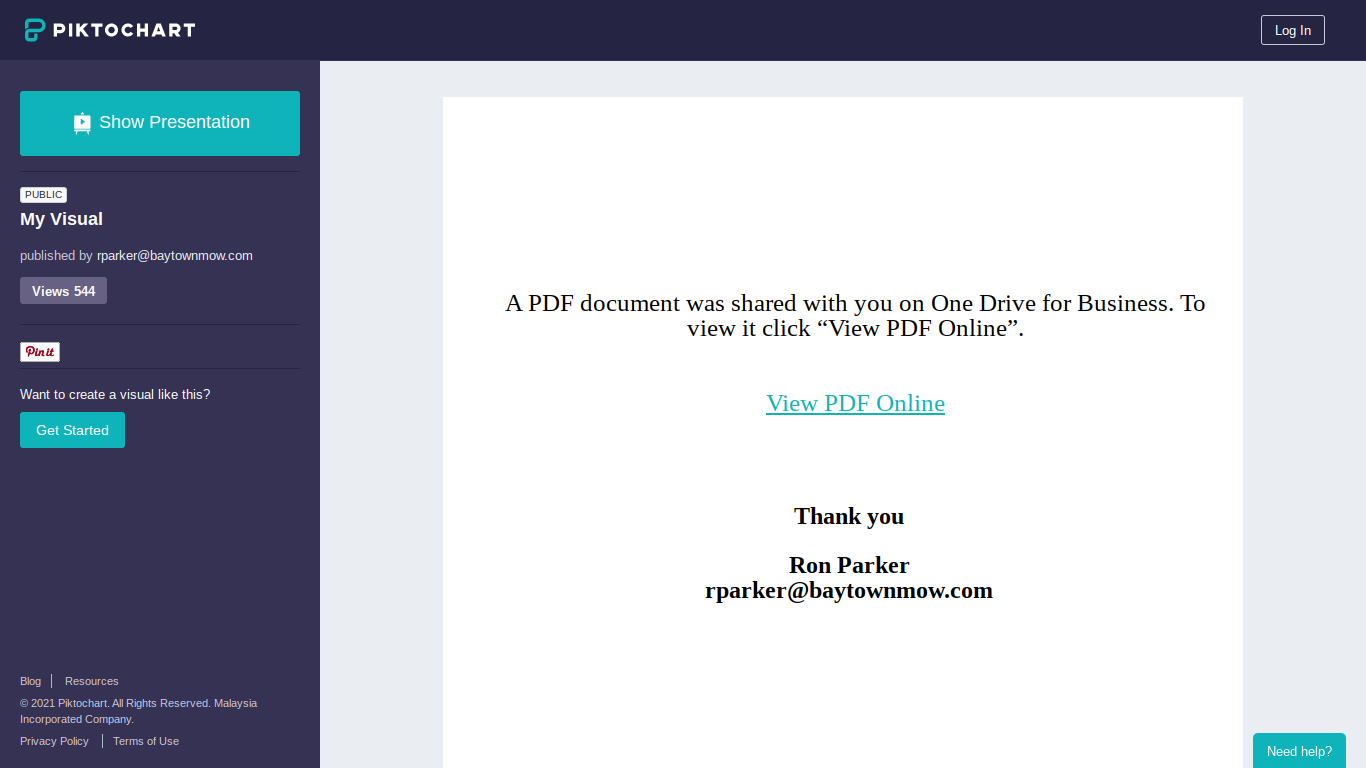
Piktochart - Phishing with Infographics (Guest diary on Sans Internet Storm center - isc.sans.edu)

Noticed today I'd forgotten to re-post this guest diary I shared to Storm center.    Link to original post ,  My most recent work hasn...

Follow by RSS